@ramlyburger/gpt-image-2-mcp





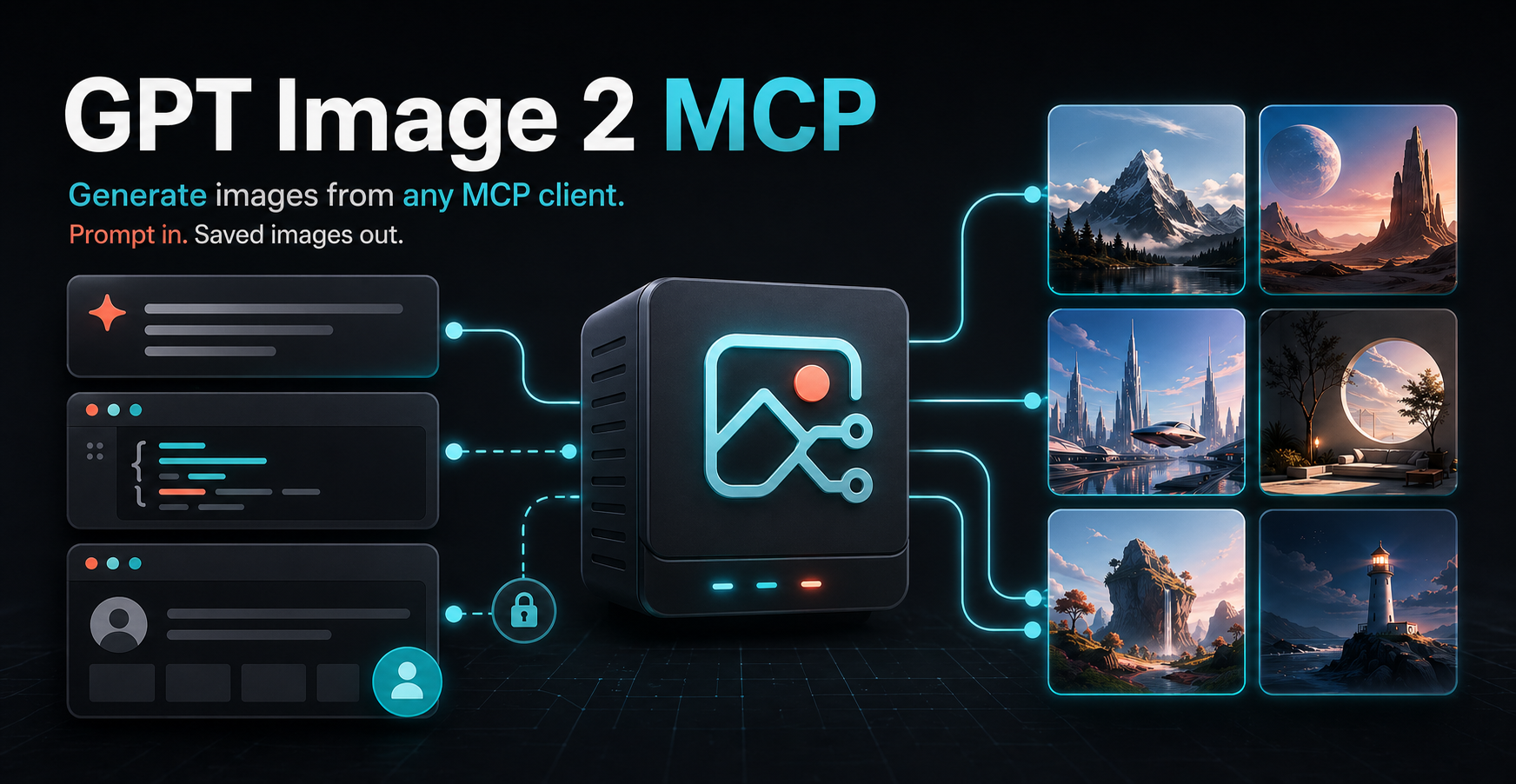
Turn any MCP-compatible AI client into an image generator. Send a normal prompt, choose a backend mode, and get real saved image files back.
Popularity
PulseMCP: https://www.pulsemcp.com/servers/ramlyburger-gpt-image-2
🖼️ What It Does
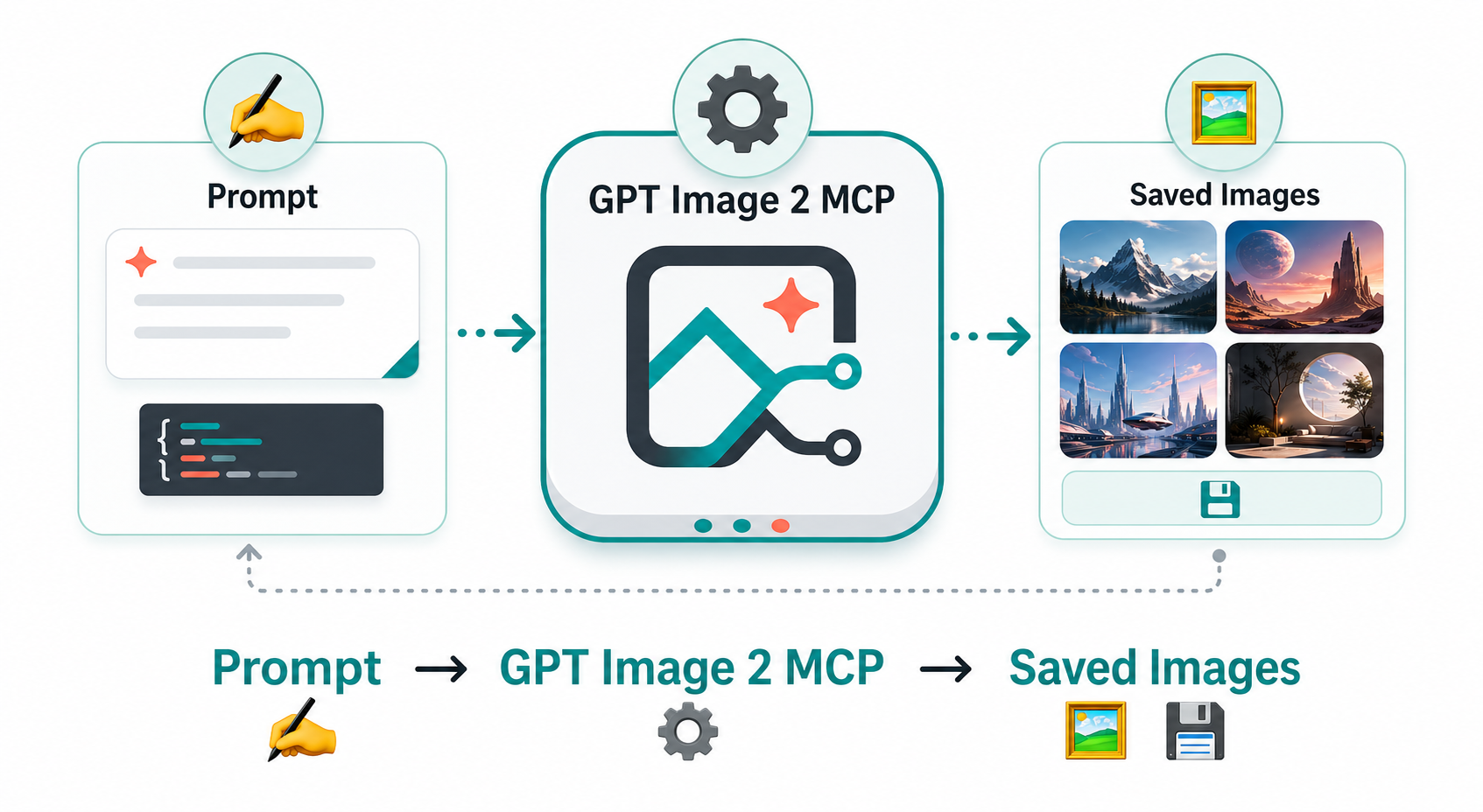
- ✍️ Prompt in: ask for an image from your MCP client.
- ⚙️ MCP server runs:
gpt-image-2-mcphandles the image request. - 💾 Files out: every result includes
output_dir,image_path, and metadata. - 🔐 No ChatGPT API key needed in
chatgpt-webmode. You only need a ChatGPT account and a successful sign-in at chatgpt.com.
🚀 Quick Start
Add the server to your MCP client:
{
  "mcpServers": {
    "gpt-image-2": {
      "command": "npx",
      "args": ["-y", "@ramlyburger/gpt-image-2-mcp"],
      "env": {
        "GPT_IMAGE_BACKEND": "chatgpt-web"
      }
    }
  }
}
That is enough for the ChatGPT website mode. The first run opens ChatGPT so you can sign in or complete verification. After that, the local profile can be reused across restarts.
For direct API generation, set OPENAI_API_KEY and change GPT_IMAGE_BACKEND to api.
🧭 Pick A Mode
| Mode | What you need | Best when | Notes |
|---|---|---|---|
chatgpt-web | A ChatGPT account and sign-in at chatgpt.com | You want a simple setup without a ChatGPT API key | Good beginner default |
api | OPENAI_API_KEY | You want the direct API path | Uses gpt-image-2 |
auto | Preferably an API key; otherwise a usable ChatGPT website session | You want API first with fallback behavior | Tries API first, then falls back only when the API backend is unavailable |
🎬 Demo
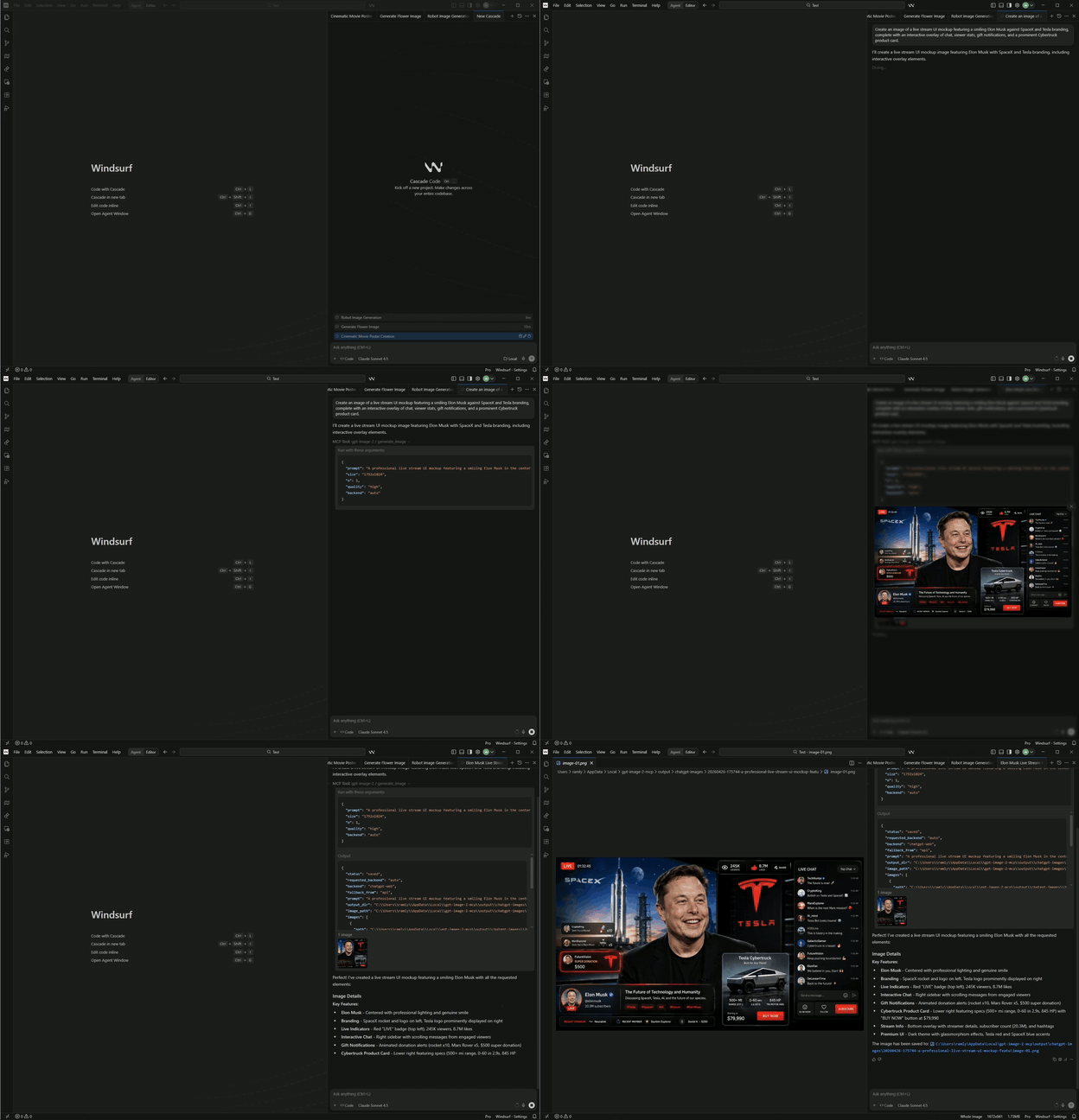
Click the GIF to open the full MP4.
🧰 Tool Surface
generate_image(prompt, backend?, n?, size?, quality?, output_format?, conversation_mode?, timeout_seconds?)backend_status(backend?)browser_visibility(action?, start_browser?)
Backend values are api, chatgpt-web, or auto.
Use conversation_mode="new" or conversation_mode="continue" with the ChatGPT website mode.
📄 Technical Reference
The section below is the implementation-oriented view.
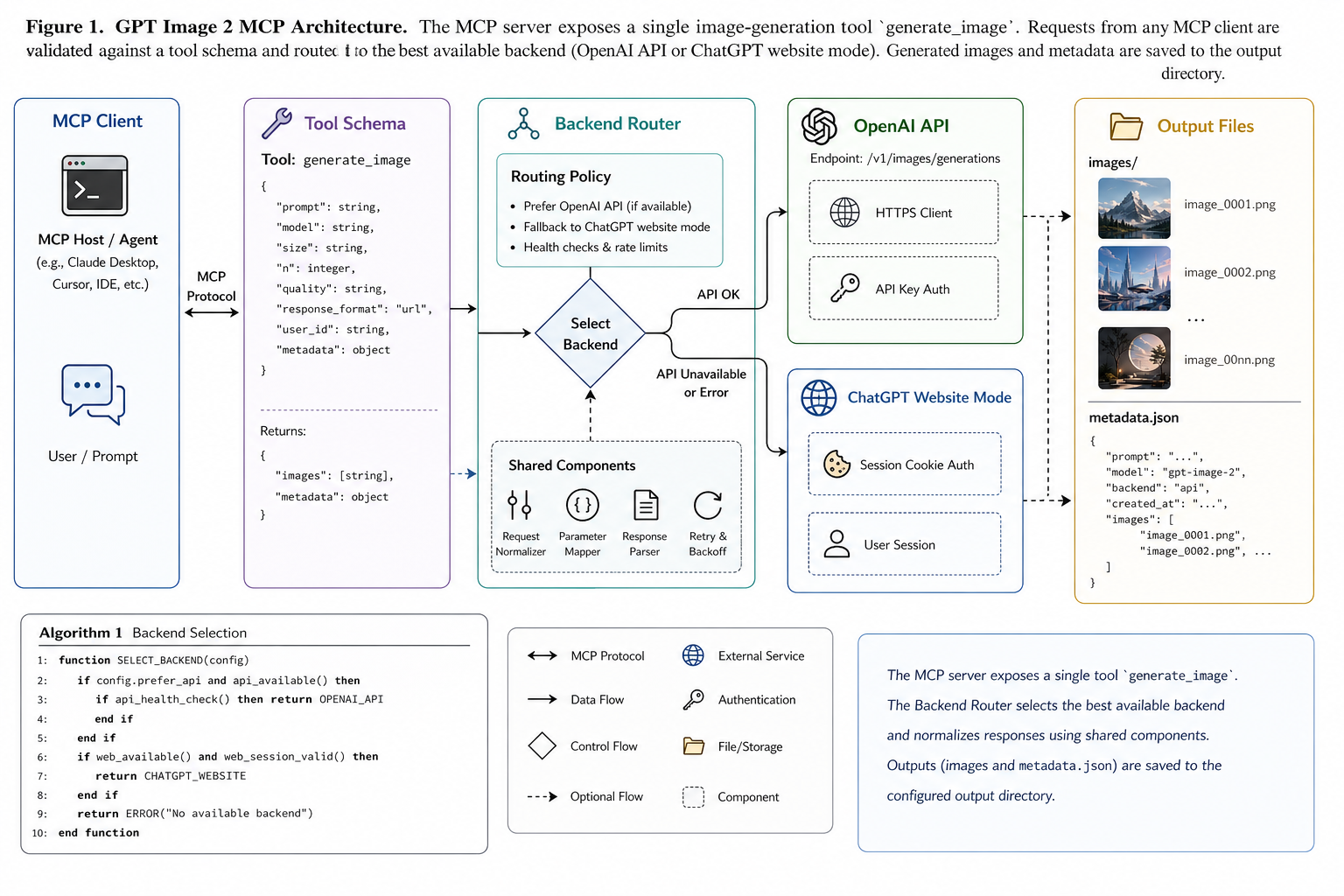
Figure 1. System Model
flowchart LR
    A["MCP client"] --> B["gpt-image-2-mcp<br/>stdio server"]
    B --> C["Input validation<br/>Zod schemas"]
    C --> D{"Backend selection"}
    D --> E["OpenAI API mode"]
    D --> F["ChatGPT website mode"]
    E --> G["Saved image files<br/>metadata.json"]
    F --> G
Abstract
gpt-image-2-mcp is a small TypeScript MCP server that exposes image generation through a narrow tool contract. The server validates MCP tool input, resolves the requested backend, persists generated artifacts to disk, and returns structured metadata plus image content to the caller.
Method
The implementation follows a five-stage pipeline:
- parse and validate MCP tool input
- resolve the backend from
api,chatgpt-web, orauto - execute the selected image-generation path
- write generated images and
metadata.jsonto a prompt-derived output directory - return
output_dir,image_path,images, and backend metadata
The auto mode attempts the API backend first and falls back to chatgpt-web only when the API backend is unavailable.
Artifact Model
Each generation creates one output directory. Images are written as numbered files such as image-01.png, and metadata is written beside them.
Default output roots:
Windows: %LOCALAPPDATA%\gpt-image-2-mcp\output\chatgpt-images
macOS:   ~/Library/Application Support/gpt-image-2-mcp/output/chatgpt-images
Linux:   ${XDG_DATA_HOME:-~/.local/share}/gpt-image-2-mcp/output/chatgpt-images
Operational notes:
backend_statusreturns the effectiveoutput_rootgenerate_imagereturnsoutput_dir,image_path, and the fullimagesarray- image filenames are deterministic within one output directory:
image-01,image-02, and so on - metadata is written as JSON alongside the image files
ChatGPT Website Mode
Run the server in ChatGPT website mode:
$env:GPT_IMAGE_BACKEND = "chatgpt-web"
node dist/index.js
When the server starts, it opens ChatGPT in Chrome or Edge. Sign in or complete verification there. Once the normal composer is visible, the session is ready for tool calls. No ChatGPT API key is required for this mode.
The local ChatGPT sign-in profile is stored under the same per-user app data directory by default. Override it with:
$env:CHATGPT_WEB_PROFILE_DIR = "C:\path\to\profile"
Optional settings:
$env:CHATGPT_WEB_LOGIN_TIMEOUT_SECONDS = "900"
$env:CHATGPT_HIDE_WINDOW = "0"
CHATGPT_HIDE_WINDOW defaults to enabled. The ChatGPT window stays visible for login or verification, then hides after chatgpt.com is ready. Use 0 if you want the window to remain visible after sign-in.
API Mode
Run the server in direct API mode:
$env:OPENAI_API_KEY = "sk-..."
$env:GPT_IMAGE_BACKEND = "api"
node dist/index.js
This mode uses the configured OpenAI image model directly. By default the model is gpt-image-2, and the selected output format can be png, jpeg, or webp.
Tool Contract
generate_image returns a structured result with these important fields:
statusrequested_backendbackendfallback_frompromptoutput_dirimage_pathimagesmetadata
backend_status returns readiness and configuration information for the selected backend or for both backends when auto is requested.
browser_visibility controls the visibility of the ChatGPT window and can also start the ChatGPT session when requested.
Local Development
The TypeScript MCP server is the only supported entry point.
Install and build:
npm install
npm run build
Useful local commands:
npm run typecheck
npm run build
npm run start
Repository Notes
src/index.tsregisters the MCP toolssrc/config.tsresolves environment-driven configurationsrc/backends/contains backend implementations and selection logicsrc/output.tsis responsible for output-directory naming and file writes
The public MCP surface stays intentionally small while backend-specific behavior remains isolated in the backend layer.